What is an ATS and how it affects your resume and job search

An ATS, or applicant tracking system, is recruiting software that companies and job platforms use to manage applications. It is not just a “resume filter”: in most cases, it stores your file, tries to turn it into structured data and uses that information to organize, search, filter or even prioritize candidates. That is why it matters what happens after you apply: if your information enters the system poorly, stays incomplete, or does not connect clearly to the role, you can lose visibility even if your resume is still stored in the database.
In this guide, you will learn:
- What an ATS is (and what it is not).
- What happens to your resume when you apply to a job.
- How that information is used during the hiring process.
- Where an ATS fits in the broader hiring ecosystem.
- What role AI plays in many current ATS platforms.
- What can affect your visibility as a candidate.
Check the following resources if you came here with a more specific question:
- I want to understand what makes a resume ATS-friendly.
- I want to test whether my current resume works well with ATS.
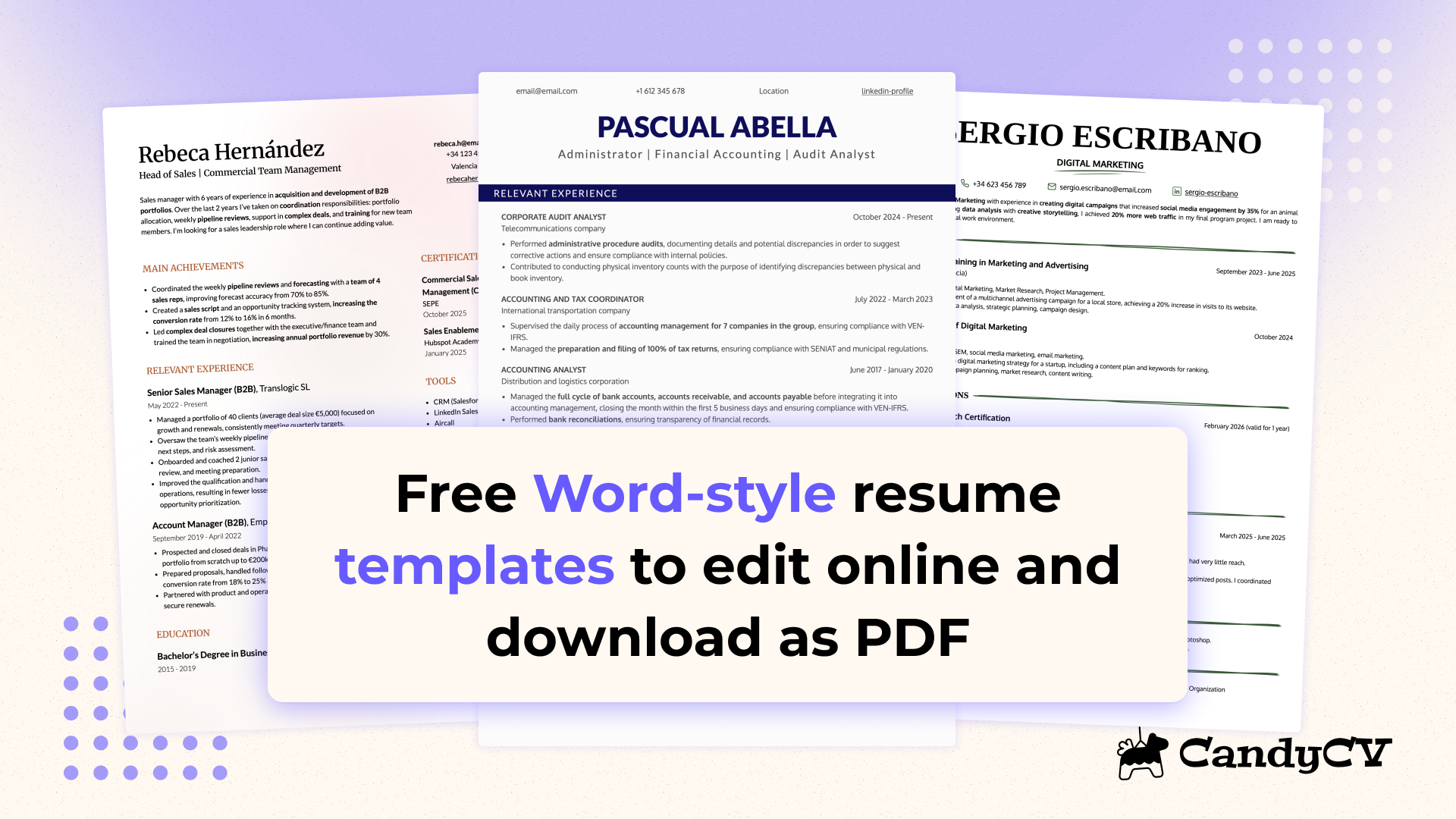
- I want to see ATS-friendly resume templates.
What is an applicant tracking system (ATS)?
An ATS, short for applicant tracking system, is recruiting software used to receive, centralize, and manage applications inside a hiring process. Its job is not to “read resumes like a person”, but to help turn information from candidates, job postings, and application forms into something the system can actually use.
In practice, an ATS usually does several things at once: it records applications, ties them to a specific job posting, moves candidates through stages, makes internal searches easier, and supports screening based on configured criteria. That is why reducing it to “resume filter” is misleading: that describes only one possible part of how it works.
It also helps to drop another common oversimplification: there is no single universal ATS, and not all ATS platforms work the same way. Their behavior depends on how they are built and what features they include. They can automate parts of recruiting, but that is not the same as replacing human judgment or turning hiring into a fully autonomous process.
A few other distinctions matter too. An ATS is not a robot. It is not the same thing as AI, even though many current systems now include AI features. It is not always the same thing as a job board, a careers site, or a tool like LinkedIn Recruiter, even if it connects with them or sits alongside them in the same hiring ecosystem. And, most importantly, an ATS does not automatically mean your application gets rejected on its own.
What does an ATS do, and who uses it?
An ATS usually handles a few core functions: recording applications, organizing them by role or hiring stage, making candidate searches easier, helping review profiles, and keeping a traceable record of what happened with each application. That saves time, reduces operational friction, and gives hiring teams more consistency. One of the main goals is to reduce time to hire and fill the role faster.
That is also why ATS platforms are not used only by large corporations. Companies of different sizes use them, as do internal recruiting teams, staffing firms, recruiting agencies, and sometimes job platforms that include their own candidate management layer.
What happens to your resume after you apply through an ATS?
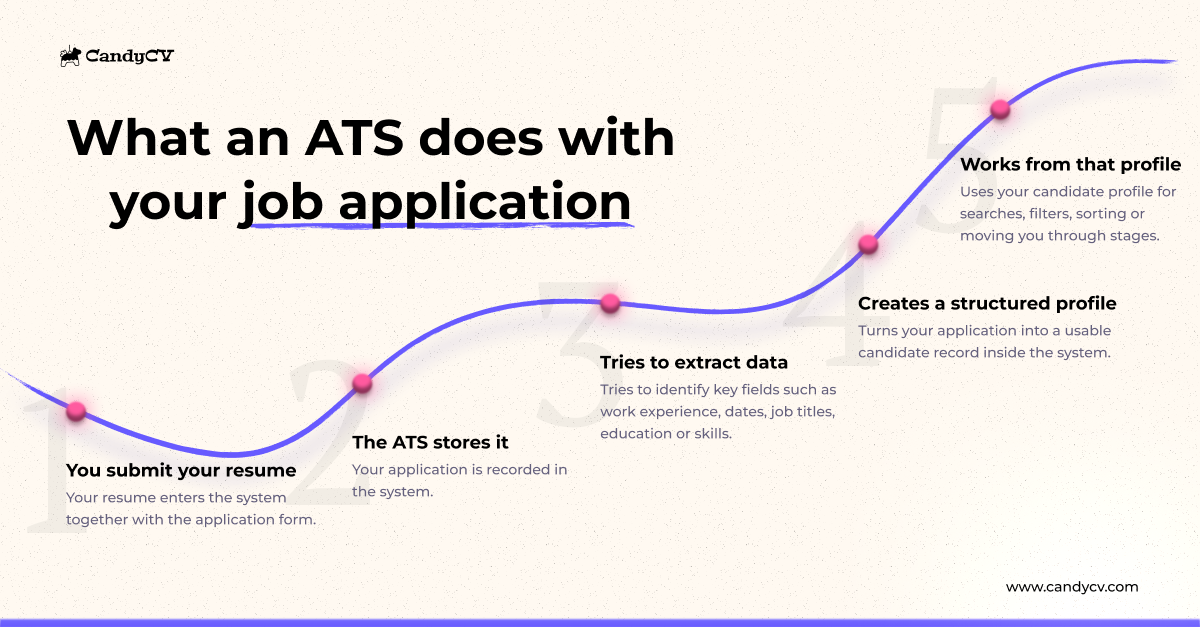
At a simple level, this is what usually happens when you upload your resume into an ATS:
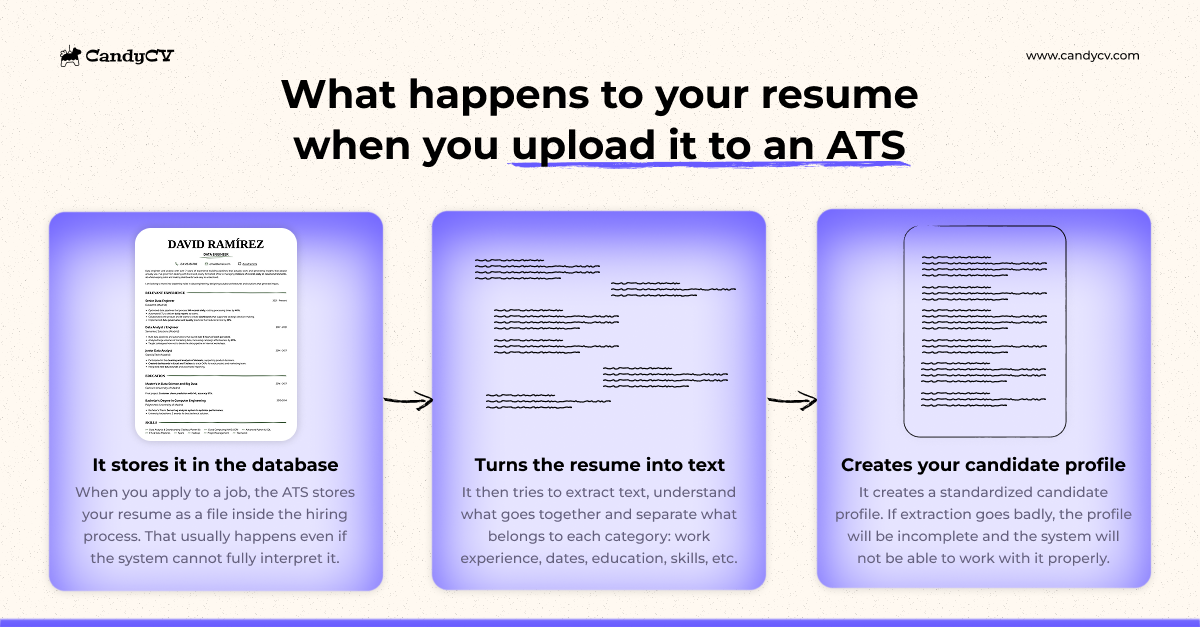
- The system receives the file. Your resume is stored as a document in the candidate database and linked to the job posting you applied to. This happens even if the resume is not technically ATS-friendly. The file can still be stored.
- The system tries to extract the content. An ATS does not read your resume the way a person does. It tries to extract text, separate useful information, and understand what each piece belongs to. This is where visibility problems can start if the system cannot work with your information properly.
- The system turns part of that information into a more structured candidate profile. That profile helps the system, recruiters, and hiring teams search, filter, compare, or prioritize candidates. If the ATS cannot extract the data correctly, the profile may end up incomplete or wrong.
So an ATS does not use your resume only as an attachment. It tries to transform the content into a more usable internal representation. When that information enters clearly and makes sense, it becomes easier to use in searches, filters, comparisons, and hiring stages. That works in your favor. But when the ATS cannot work with it well, your application can lose visibility.
What information does an ATS try to extract from your resume and application form?
An ATS does not really work with the resume as a single object. It works with smaller pieces of information. It tries to separate and place items such as your name, work history, dates, job titles, education, location, and certain skills or tools into different fields.
And that information does not always come only from your resume. In many hiring processes, the system also pulls data from the application form and from any profile you have on a job platform, such as availability, work authorization, salary expectations, or preferred work arrangement.
Put simply, the ATS is trying to answer questions like these:
- Who is this person?
- What roles have they held?
- When and where did they work?
- What education do they have?
- What skills, tools, or languages appear in the application?
- What answers did they give in the application form?
That does not mean every system does this equally well, or that every ATS separates information with the same level of accuracy. But it does explain why it matters for your application to contain signals that are clear and easy to interpret, not just for the human reviewer later on, but also for the system that tries to organize everything first.
What is a candidate profile in an ATS, and why does it matter?
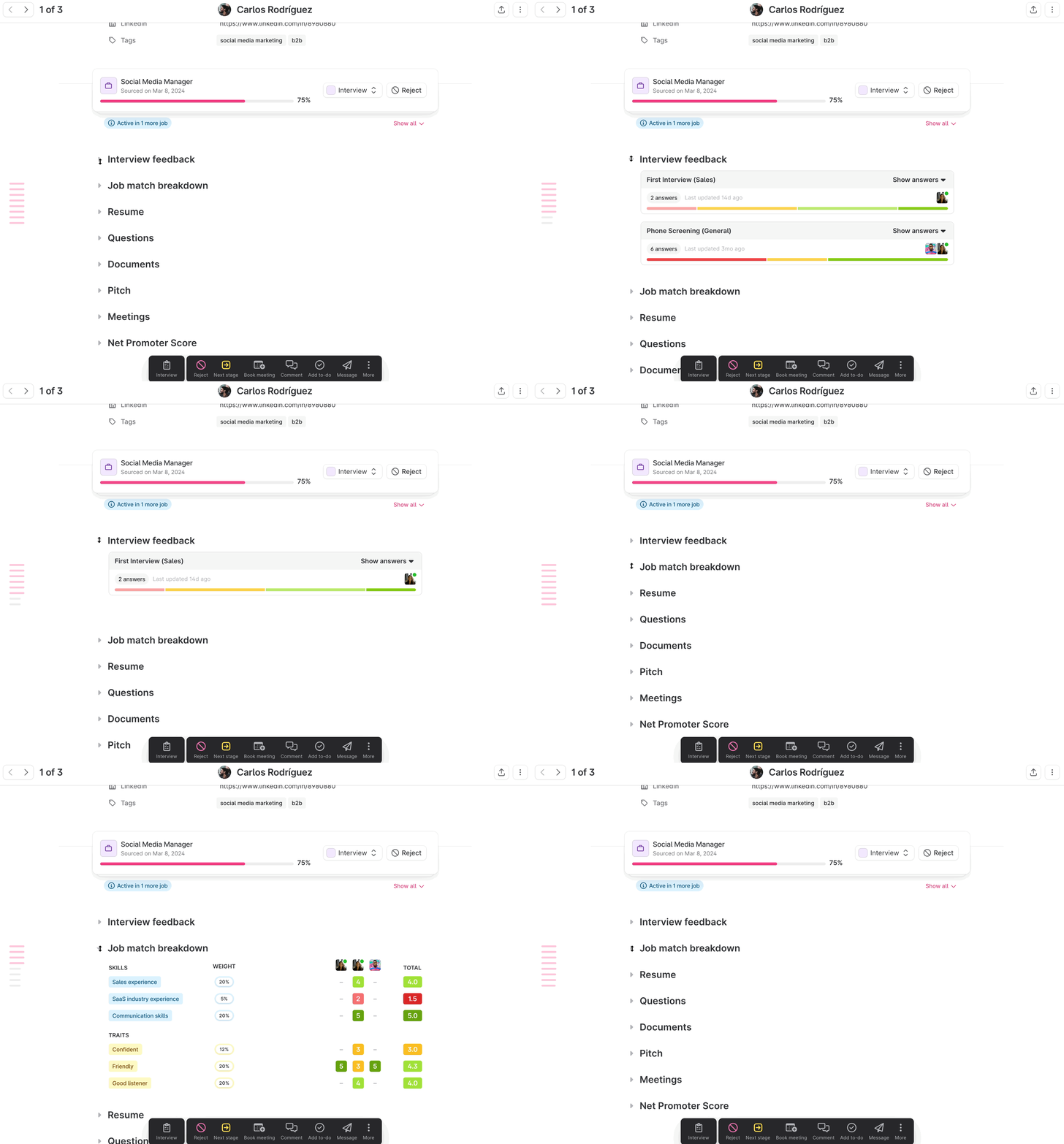
A candidate profile is the record the ATS tries to build from your application so it can actually work with it inside the system. It is not just your resume stored as a file. It is a more structured representation of your information.
That profile is usually built from more than one source at once: the resume you uploaded, the application form, the information in your job board profile, and sometimes other fields in the process. The result is a more standardized profile, with separated parts that make the information easier for the system and the hiring team to handle.
Those are the fields where the ATS places the information after identifying and extracting it from the different sources.
It matters because that profile supports many of the ATS’s operational tasks: searching for candidates, comparing them, moving them through stages, reviewing fit for a job posting, or working with the information without reinterpreting the original file from scratch every time. In practice, the ATS works with your candidate profile, not with your resume file alone.
What happens if the ATS cannot extract your resume data properly?
If the ATS has trouble working with your resume, your candidate profile may end up more poorly structured, thinner, or less visible for searches and selection criteria. That does not automatically mean your application disappears, and it does not mean the ATS rejects you by itself.
The real issue is not only whether the system stores the resume, but how your application ends up being represented inside the system. A weaker profile does not always block human review, but it can make part of your information less usable during the process and less likely to benefit from the ways the ATS can surface, organize, and prioritize candidates.
That is why it helps to separate two things: your resume entering the system, and your resume entering in a way that is actually useful. Those are not the same thing.
How does an ATS use your information once it is in the system?
Once your resume enters the ATS and helps create your candidate profile, the system connects that profile to a specific job posting and the criteria attached to that role. It also helps recruiters organize the hiring process and search, filter, sort, move, or reject applications.
Here is a summary of those main operations, followed by more detail and examples:
| Operation | What it means | What it is for | What it does not automatically mean |
|---|---|---|---|
| Store | Record the application inside the system | Keep the resume and application inside the hiring process | That the application was understood well or will be reviewed first |
| Search | Find profiles through terms or attributes | Locate candidates in a database or within a specific role | That the system has already decided they are a fit |
| Filter | Narrow results using certain criteria | Limit which profiles appear or move into a closer review | That the application has been definitively rejected |
| Sort / prioritize | Place some applications above others | Help decide what to review first | That lower-ranked candidates are rejected |
| Move to stage | Change the application from one stage to another | Manage the candidate’s progress through the process, manually or sometimes automatically | That the stage change always reflects a final human judgment |
| Reject | Close the candidate out of a stage or out of the process | Exclude an application from part of the process or from the process entirely | That every rejection is automatic, caused only by resume formatting, or equivalent to simply being ranked lower |
What can an ATS do with your information? Search, filter, prioritize, move or reject candidates
In practice, these actions do not happen in isolation. They are part of a real hiring workflow with roles, stages, criteria, and high application volume. The most common ones are these:
- Search. A recruiter can search a database or a specific applicant pool using information such as job title, skills, location, language, or experience. That makes it easier to find relevant candidates without reviewing every application one by one.
- Filter. A recruiter can apply filters to show only applications that meet certain conditions. Those conditions may come from the job posting, the application form, or the way the process was configured. That does not always mean rejection. Often it simply determines which candidates are shown first, reviewed more closely, or considered to meet baseline requirements.
- Sort or prioritize. The ATS can place some applications above others to help decide what to review first, and recruiters can often configure the sorting criteria. That prioritization may rely on fit signals, application date, hiring stage, or other configured criteria. Being lower in the list does not automatically mean rejection, but it can reduce the chances that your application gets attention early.
- Move candidates between stages. An ATS is not only for search and filtering. It also helps manage process flow: moving someone to interview, assessment, final review, or a rejected stage. That movement can be manual, and in more advanced ATS platforms it can also include automation. Teamtailor, for example, documents “Smart move” triggers that can automatically move candidates based on answers to screening questions, job status, keywords in the resume, or location.
- Reject. Rejecting a candidate is not the same as not appearing at the top of a list or falling outside a filter. And candidates with weak or incomplete parsed profiles are not automatically rejected just because extraction was poor. Rejection is typically an action inside the hiring workflow. In practice, the system often facilitates that decision for the human to make, rather than making every such decision on its own.
How does an ATS connect your application to a specific job posting?
An ATS works with two things at once:
- The information it gets from your application.
- The information hiring teams have defined for the job posting, such as the description, must-have requirements, and preferred qualifications.
Usually, the form where you submit your resume is already tied to a specific job posting, and everything collected there, your resume, additional form fields, cover letter, and other answers, becomes part of the candidate profile opened under that specific role.
That means your application is not interpreted in a vacuum. The system places it against a specific opening, with data and criteria already attached to it: title, location, language, skills, required experience, application questions, hiring stages, or conditions the employer considers important for the role. The outcomes of search, filtering, and prioritization depend heavily on those job-specific criteria.
Where does an ATS fit in the hiring ecosystem?
An ATS usually sits at the operational center of the hiring process, but it does not work alone. Around it, there may be several connected layers that feed it, complement it, or expand what it can do. Understanding those connections helps explain what really happens to your application after you submit it.
- Job boards. These often act as candidate sources. Many employers post the same role across several platforms and receive applications from multiple channels. The ATS centralizes that incoming flow so the hiring team does not have to manage candidates separately inside each platform. Some job boards also include their own management features or integrate with employer ATS platforms.
- Careers page and application form. This is often the direct entry point when you apply on a company website. You do not only upload your resume there. You also fill in structured data and answer questions that enter the system in a more organized way from the start. In many ATS environments, the careers page, the job page, and the application form are part of the same broader system.
- Candidate database or talent pool. This allows employers to store and reuse profiles that already passed through the system, even if they were not a fit for one particular role. That means your application may not live only inside the job you applied for. It can also remain inside a searchable database that may be revisited later for another opening.
Seen as a workflow, the important point is this: an application may enter through a job board or careers page, gain extra data through the form, be centralized in the ATS, and then remain stored in a reusable candidate database. So what happens to your application depends not only on the file you upload, but also on the entry channel, the form, the specific role, and the way those systems share and structure information.
Is a job board the same thing as an ATS?
Not always. An ATS is the system where an employer centralizes, organizes, and manages applications inside its hiring process. A job board, by contrast, is usually first and foremost a channel where employers publish openings and receive applications. The confusion comes from the fact that some job boards also include applications management features.
Sometimes an application enters through a job board and the hiring team reviews it there. But in many current hiring processes, something else happens: the employer posts the job across one or more platforms and then brings all those applications into its ATS. That lets the team work from one place even if candidates came in through different channels.
So a job board can play different roles depending on the case:
- It may be only a candidate source.
- It may add its own applicant management layer.
- It may be connected to the employer’s ATS, so the application starts on the platform but is managed later in the main hiring system.
How do many modern ATS platforms use AI?
Many modern ATS platforms now include AI for specific tasks such as summarizing profiles, suggesting existing candidates, comparing an application with a job’s requirements more effectively, or helping prioritize applications when volume is high.
The ATS is still the base system that receives, structures, and organizes applications. AI is added on top to help process that information faster or with more contextual pattern matching. It does not replace hiring teams by itself. It supports tasks that were previously more manual, or automated in a much narrower way.
In practice, some of the most common uses are:
- Summarizing profiles. Some ATS platforms generate a short summary of the candidate profile or resume.
- Suggesting candidates already in the database. If an employer already has profiles saved in its talent pool, the system may suggest some of them for a new opening even if they did not apply to that exact role.
- Comparing an application with a job more effectively. AI can help surface relationships between experience, skills, requirements, and job context in a more flexible way than older keyword-only logic.
- Helping prioritize review. When volume is high, AI may help flag applications that appear more aligned with defined criteria.
That does not mean AI “understands” a career path the way a person does, or that its output should be treated as ground truth. Three things still matter a lot: the quality of the information that entered the system, how the ATS was configured, and how the hiring team uses those tools inside the process.
How it affects your application when an ATS uses AI?
The main difference is that your application may go through more layers of evaluation before a human reviews it.
That makes the quality of the information the ATS has about you an even more important matter, which in turn makes the quality of your resume more important. First, because the ATS still has to structure your application correctly. Second, because any added interpretation layer can flatten your experience, oversimplify your profile, or miss important fit signals if the original information is vague or poorly framed.
In other words, in ATS workflows that use AI, it is not enough for the system to extract the key data from your resume. It also helps if your work experience, responsibilities, achievements, skills, and overall context are easy to understand and easy to relate to the type of role you want.
What are the limits of AI in hiring?
An application is not just a pile of job titles, dates, and tools. Some parts require interpretation: how much weight an experience really carries, whether a move across industries helps or hurts, whether a responsibility actually matches the seniority of the role, or whether a candidate fits through transferable skills even without repeating the exact same title.
The most common limits of AI in hiring usually show up like this:
- Overly flat summaries. AI can compress a complex background into something too generic and leave out important nuance, such as scope, business context, level of responsibility, or specialization.
- Weak comparison when context matters. It may struggle more with nonlinear profiles, industry changes, hybrid careers, or experience with nonstandard job titles.
- Dependence on human criteria. If the employer defines the target profile poorly, AI does not fix that. It works on top of those criteria and can even reinforce them during prioritization or comparison.
- Bias risk. Bias does not come only from the model. It can also come from the training data, historical examples, configured criteria, or a narrow idea of the “ideal” profile. In hiring, that can disadvantage less traditional paths or candidates who do not resemble past hires.
- Variability across tools. Not every ATS includes the same kind of AI, with the same precision, for the same tasks. So broad universal claims about “how AI works in hiring” are usually sloppy.
How can an ATS affect your visibility as a candidate?
At this point, the useful conclusion is this: the visibility of your application inside an ATS does not depend only on whether you submitted a resume. It depends on how your information enters the system, how it is structured, how it connects to the job posting, and how it is later used for search, filtering, or prioritization.
An application can be inside the ATS and still be more or less visible to the hiring team. Not because of a magical gate, but because the system works better with some applications than with others. The clearer, more usable, and more role-relevant your information is inside the system, the easier it becomes to surface, understand, and review.
When does your application gain or lose visibility inside an ATS?
This table summarizes the main factors that affect visibility inside these systems:
| Factor | Visibility usually improves when… | Visibility usually drops when… |
|---|---|---|
| Structure | The ATS can separate job titles, dates, education, and skills clearly | Part of the content enters poorly or ends up disordered |
| Job title / specialization | Your role is easy to understand and maps clearly to the target role | Your title is too ambiguous, too creative, or too internal |
| Experience | Your function, context, and results are easy to understand | Your experience is described too generically |
| Skills and tools | They are named clearly and in ways that are useful for that role | They stay vague, hidden, or disconnected from the actual work |
| Consistency across sources | Resume, form, and job board profile tell the same story | Important pieces contradict each other or are split incoherently |
| Relationship to the job | The fit is visible without effort | The fit exists, but stays implicit or hard to detect |
An application usually gains visibility when the ATS can work with it properly and what it extracts is actually useful to the process. That often happens when:
- Your job title or specialization is immediately understandable and uses wording the market recognizes.
- Your work history is chronologically clear and does not force the reader, or the system, to guess at dates, changes, or responsibilities.
- Your skills, tools, languages, or certifications are named clearly.
- Your resume, form, and job board profile tell a consistent story.
- The connection to the role is visible without effort: what you did, in what context, and why that is relevant.
An application usually loses visibility when the system ends up with weaker or less usable information. For example, when:
- Part of the content enters badly and the profile ends up incomplete or confusing.
- Your title is so vague, creative, or internal that it does not clearly signal the kind of role you did.
- Important skills for the role are there, but hidden, unclear, or unsupported by context.
- The experience exists, but is described so generically that it is hard to connect to what the role requires.
- Your resume says one thing, the form says another, and the job board profile adds a third version.
This matters because inside an ATS, being in the system is not the same thing as being well positioned inside the system. You may have submitted your application and still end up less findable, less clearly represented, or less easy to prioritize than someone whose information is clearer and more role-aligned, even if that person is not actually a stronger fit.
So in ATS workflows, visibility is not only about “passing filters.” It is also about how your application is represented and how easy it is to find, compare, and connect your experience to a specific job opening.
Now that you know what an ATS is, what should you do next?
Once you understand how an ATS works, the next question is usually a tactical one. Here is the right next step depending on the problem you want to solve:
- I want to understand what makes a resume ATS-friendly.
- I want to test whether the resume I already use works well with ATS.
- I want to compare ATS-friendly resume templates that work.
- I want to improve my resume content so it is easier to understand and stronger inside the hiring process.
- I want to tailor my resume to a specific job so the fit is easier to see.