Free Word-style resume templates to edit online and download as PDF

If you’re looking for a Word resume template, you probably want a resume that feels simple, editable, and free. But you do not always need a .docx file to get that result. In fact, you can often get the same clean, document-style outcome without the usual formatting problems that come with editing a resume in Word.
In this article, you’ll find four resume templates with a Word-style layout. They are not Microsoft Word templates: you edit them in CandyCV, a resume builder designed specifically for resumes, they have the clean and document-like look many people associate with Word, and you download your final resume as a PDF.
See Word-style resume templates.
A Word-style resume template keeps what people usually look for in Word: clarity, simplicity, and control. But it avoids some of Word’s common friction points and lets you work with one-column or two-column layouts while keeping the resume technically usable for ATS and job portals. The difference is the tool you use.
If you specifically need to create your resume directly in Microsoft Word or download a .docx file, use this guide instead: how to make a resume in Word.
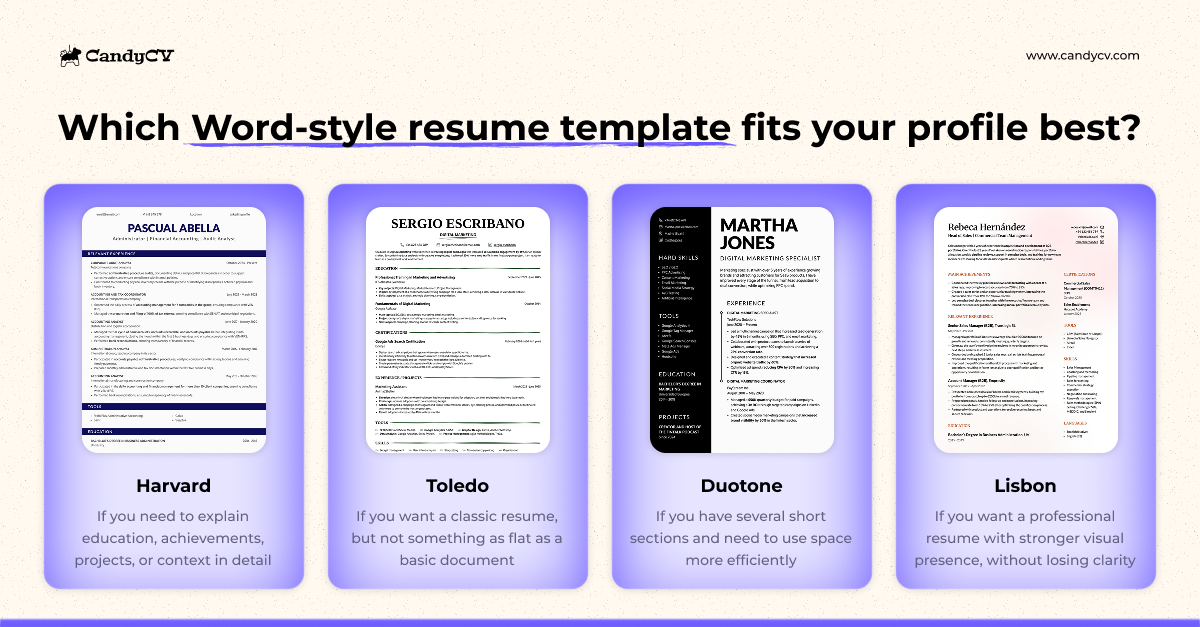
4 Word-style resume templates with professional design and easy editing
Not every Word-style resume template solves the same problem. That is why this article does not simply show four different designs. It shows two ways to build a clean, professional-looking resume, depending on your situation:
- One-column templates, when your content needs more room for explanation, context, and career progression.
- Two-column templates, when it makes sense to separate primary and secondary information so the resume is easier to scan.
The benefit of using CandyCV is not only the visual result. It is also that you can use structures that are often awkward to build manually in Word and can even make the resume less technically reliable if they depend on tables, floating text boxes, or fragile layout elements.
Harvard: a one-column Word-style resume template for explaining your background clearly
The Harvard template works well when you need a resume that is clean, linear, and easy to read. Because it uses a single column, it gives you more room to explain responsibilities, projects, achievements, tools, or context without breaking the content into tiny blocks.
It is a good option for early-career candidates who need to add more context, for technical profiles that need to explain projects or tools with precision, and for applications where the design of the resume is not part of the job itself.
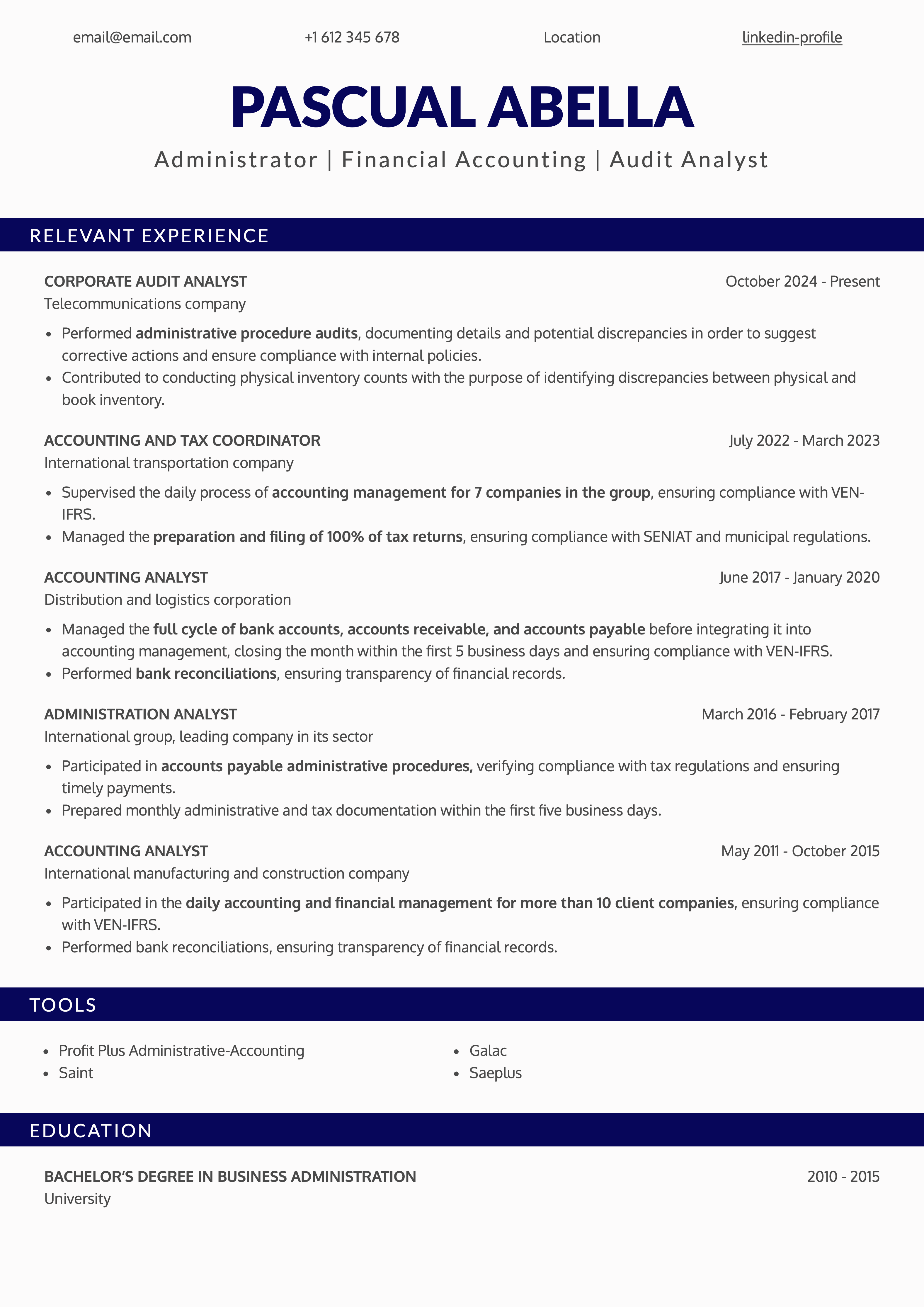
Its Word-style feel comes from its document-like structure: top-to-bottom reading, recognizable sections, and restrained design. The difference is that you do not have to build or adjust it in Word. You can edit the content in CandyCV, move or remove sections, and keep a stable visual base because the document structure adapts to the content automatically.
Here you can read more about why the Harvard resume format works and which profiles it fits best.
Toledo: a one-column Word-style resume template for a classic resume with personality
Toledo works well if you want a one-column resume that is clear and easy to read, but with more visual intention than a basic document. It keeps a classic structure, with recognizable sections and an orderly reading flow, while adding subtle design details that help separate blocks without turning the resume into an overdesigned piece.
It is a good option for profiles that want to communicate professionalism without looking too rigid: business, education, administration, project management, or roles where organization, judgment, and a certain visual sensibility matter.
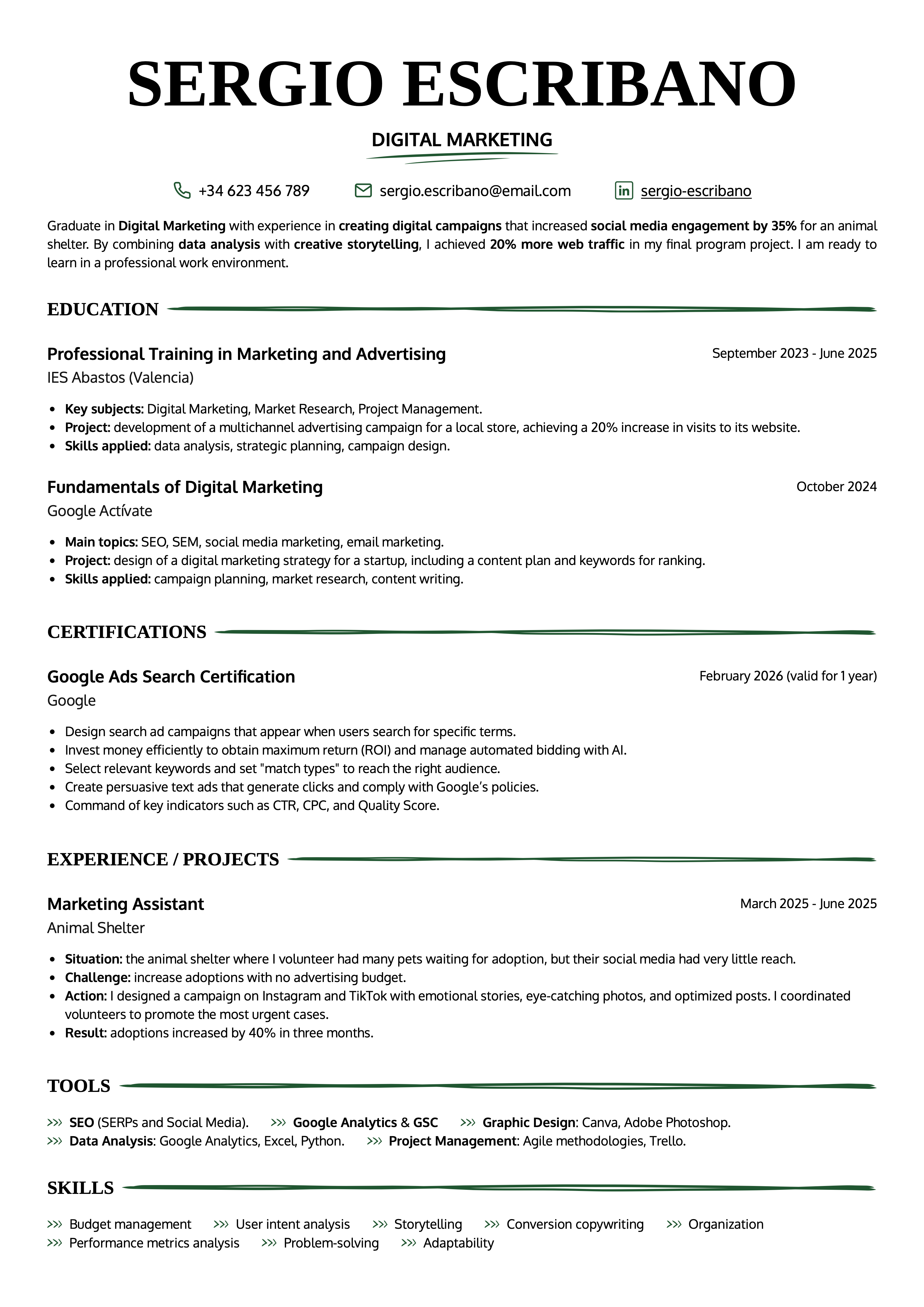
Its Word-style feel is in the foundation: one column, clear hierarchy, and a document-like structure. The difference is that Toledo adds a more editorial type style and visual separators that would be annoying to recreate and maintain in Word. In CandyCV, you can add, remove, or move sections without rebuilding those details by hand.
Duotone: a two-column Word-style resume template for organizing information better
Duotone works well when your resume has several short sections that need to stay visible without taking up too much space: skills, tools, languages, certifications, links, additional education, or contact details. In a one-column template, all those sections can make the document longer or compete with your main work experience. In Duotone, the two-column layout separates them more clearly and improves visual scanning.
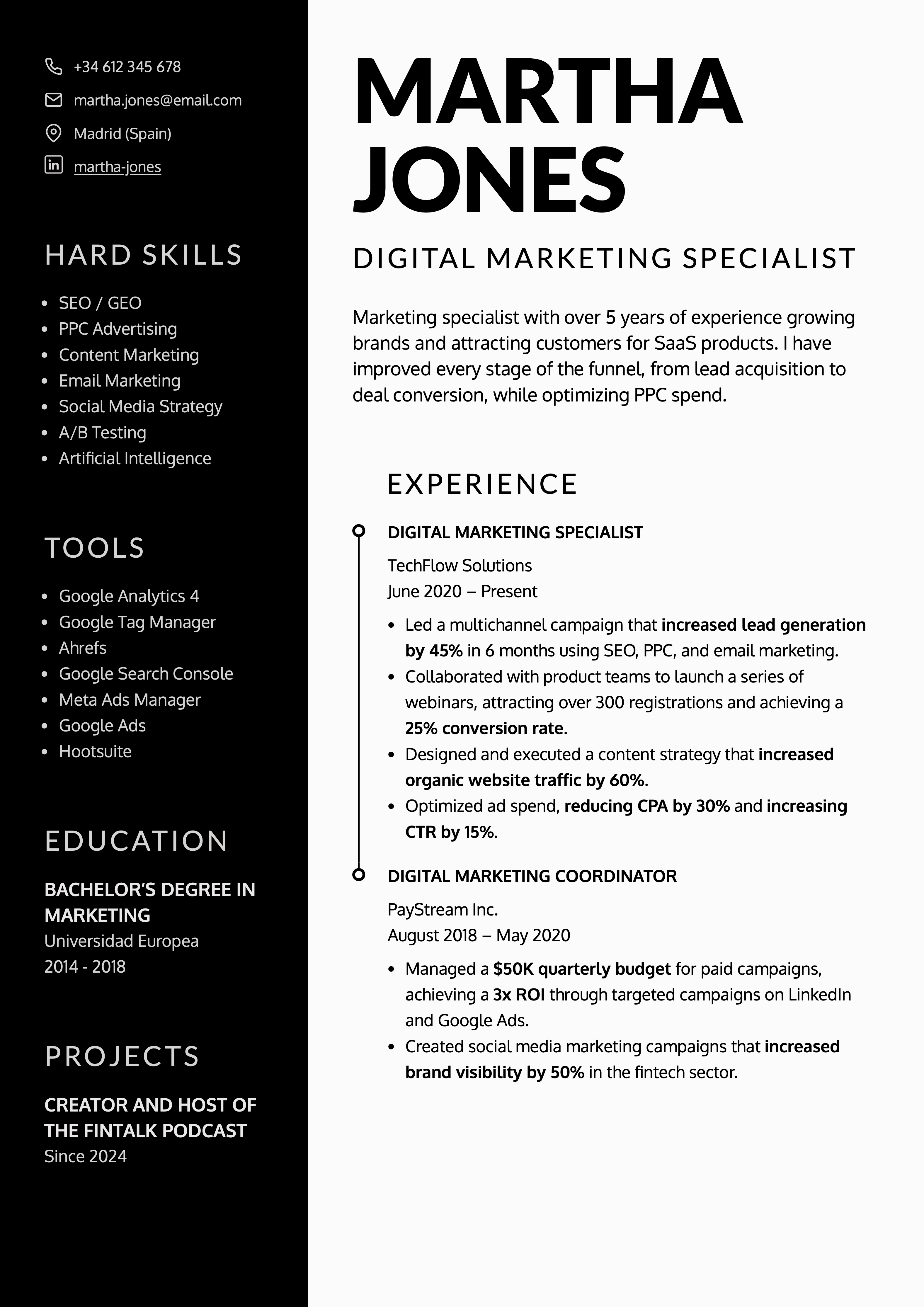
It is a good option for profiles that combine work experience, technical skills, and additional training, or for applications where certain information needs to be seen quickly without interrupting the reading flow of the main section.
Its Word-style feel comes from the clarity of the structure: recognizable sections, visible hierarchy, and restrained design. The difference is that you do not have to build the two-column layout with tables, text boxes, or floating blocks in Word. Those elements are not only difficult to manage; they can also make the resume less reliable for ATS and job portals.
In CandyCV, you can edit the content and keep that organization without manually fixing the layout or compromising the technical quality of the final document.
Duotone has a stronger visual presence and can include a photo, but if a photo does not fit your application or the market you are applying in, you can remove it and keep the two-column structure. In some markets, a photo is usually best avoided because it can introduce bias and is not expected in standard resume screening.
Lisbon: a Word-style resume template for profiles that want more visual presence
Lisbon works well if you want a resume with more visual presence than a classic template, but without using a design that feels cluttered or hard to read. It is a good option for profiles where presentation also communicates judgment: marketing, communications, sales, customer-facing roles, training, coordination, operations, or roles with external exposure.
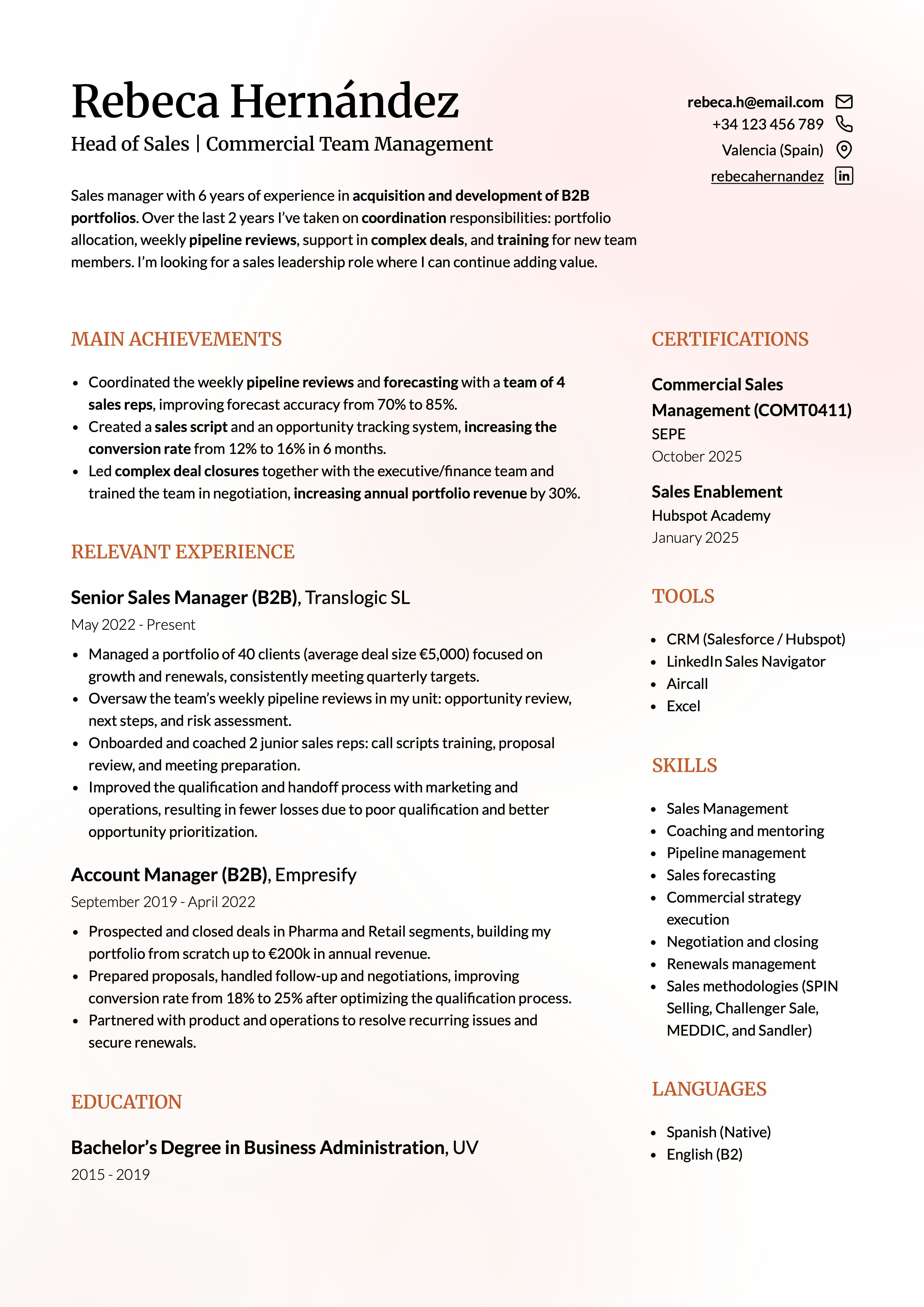
Unlike a one-column template, Lisbon uses space more efficiently and separates information into clear visual areas. And compared with more visually aggressive two-column designs, it has a more balanced composition. Its Word-style feel comes from the fact that it keeps a recognizable structure: clear sections, orderly reading, and content that is easy to locate. The difference is that it creates a more visual result without forcing you to build columns, color blocks, or separators manually in Word.
In CandyCV, you can edit sections, adjust content, add a photo and keep the design without rebuilding the layout.
If you want to explore even more easy-to-use modern or creative styles, you can also see this selection of modern and professional resume templates.
Are these Word-style resume templates ATS-friendly?
Yes. CandyCV’s Word-style resume templates are designed for hiring processes where a resume may pass through an ATS or a job portal, which is common in many online applications. They use a clear structure, real text, and let you download a final PDF version with a stable design.
That does not mean a template alone can guarantee that your application will move forward. Technical compatibility depends on the template, but also on how the content is written and organized.
Why use a Word-style resume template instead of editing a template directly in Word?
Editing a resume template in Word can be useful if you need a .docx file or if you want to control every detail of the document manually. The problem is that many Word resume designs depend on layout decisions: margins, page breaks, columns, tables, text boxes, or manually positioned blocks. That can work as long as you do not change the document too much. But once you edit, reorder, or expand content, part of your time goes into fixing the format again.
A Word-style resume template in CandyCV changes the starting point since you are not editing a generic document. You are working in an editor built for resumes: you edit by section, modify content, add or remove blocks, and keep a stable visual structure without rebuilding the template by hand. That makes creating a resume simpler: choose a template, edit your resume, adjust the content, and download a final PDF version.
If you want to understand the difference between word processors, design tools, AI tools, and specialized resume builders, read this guide on resume-building tools.
| In a downloaded Word resume template | In a Word-style resume template in CandyCV |
|---|---|
| You start with an empty file that you need to fill in and adjust manually | You start with an editable template inside an editor built for resumes |
| The design may depend on margins, page breaks, tables, columns, or text boxes | The visual structure is already built into the template, so you do not have to create it manually |
| When you expand a role or add a section, the document can break or shift | You can add, remove, or modify sections while keeping a stable visual base |
| Reordering sections usually means copying, pasting, moving blocks, and fixing spacing | You can work by section and adapt the order of the resume with less friction |
| The design may force you to cut important content just to make it “fit” | The template is designed to adapt to the content, not to force the content into a fragile layout |
| Creating versions for different job postings can mean duplicating files and checking the formatting again | You can edit and tailor the resume without rebuilding the layout from scratch |
| The editable file may not behave the same way when exported or shared | You download a final PDF version from the tool itself |
When is it better to make your resume directly in Microsoft Word?
Word makes sense when the editable file matters more than editing convenience. For example, if an employer specifically asks for a .docx file, if you are sending the resume to someone who needs to edit it in Word, or if you want to keep a fully editable version outside any tool.
It can also make sense if you are already comfortable with Word and know how to control styles, page breaks, margins, and structure without the document falling apart when the content changes. In that case, Word gives you a lot of manual control, but it also leaves you responsible for maintaining the format and the technical reliability of the resume.
A Word-style template works better when you do not need to deliver a .docx file, but you do want to create a clean resume, edit it with less friction, and download a stable final version. In other words: if you were looking for Word because it feels familiar, not because the file format is required.
| Real situation | Better option |
|---|---|
| The employer asks you to send a .docx file | Word |
| You need to send the resume to someone who will edit it in Word | Word |
| You want full manual control over every detail of the document | Word |
| You want a familiar, clean template that is easy to fill in | Word-style template |
| You want to avoid fighting with margins, page breaks, or columns | Word-style template |
| You are sending a final PDF version | Word-style template |
If you know you want to create the resume directly in Microsoft Word, use this specific guide: how to make a resume in Word: what to do, what to avoid, and when it is not worth it.
Were you looking for a more modern or creative Word-style resume template?
A modern or creative resume template gives more weight to design: color, composition, visual presence, header style, or the way information is arranged. It can make sense if your profile, field, or application benefits from a more distinctive presentation, as long as the design does not make the resume harder to read.
Choose a Word-style template, edit your resume, and download it as a PDF
You do not need to use Word to create a clean, editable, easy-to-send resume. Choose a Word-style template, adapt the content in CandyCV, and download your final resume as a PDF.
You can start with the template that best fits your situation:
- Harvard, if you want a clean one-column structure.
- Toledo, if you prefer a classic base with more visual detail.
- Duotone, if you need to organize information in two columns.
- Lisboa, if you want a more visual resume without losing clarity.